1. Open the Microsoft Management Console:
Windows > run.exe > mmc
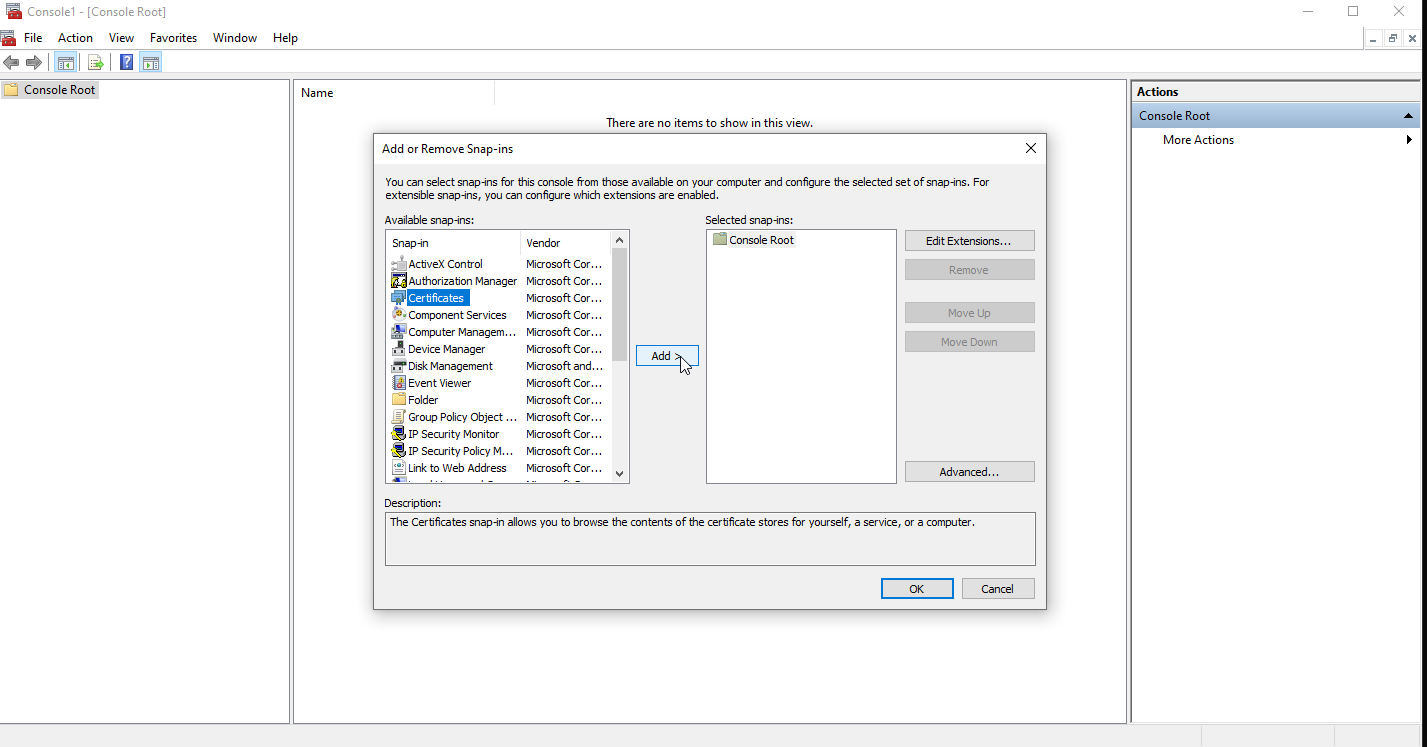
2. Display the certificate Component
File > Add/Remove Snap-in Add “Certificates” and click “ok”
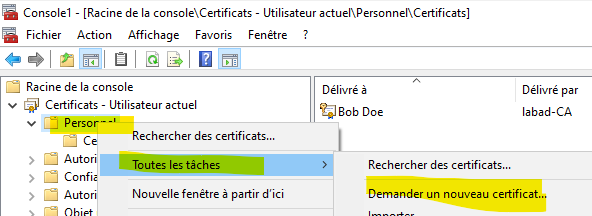
3. Go to the “Certificates - Current user” tree
and Right click on Personal > All tasks > Request a new certificate
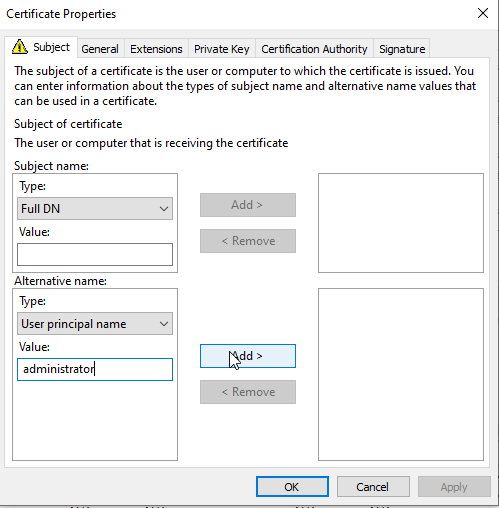
In this case I’ll use a custom template certificate, before requesting it, it ask me to specify some informations,
Adding an “altname” as a upn, and apply
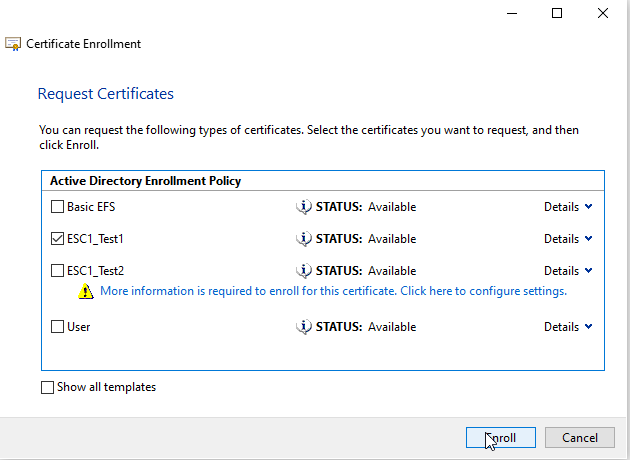
 Then I can continue my enrollment